TEMPLATE / 01
Island Escape
7 clips · Your photos. Your version.
VIDEO EDITOR FOR IPHONE & IPAD
Turn the clips on your camera roll into something worth sharing. Find your rhythm with video templates, automatic captions and edits that feel like you.
Coming soon on the App Store. iOS 17+
01 / FIND YOUR FEELING
A weekend away. Your morning coffee. A city after dark. Start with a video template, then make every frame your own.
7 clips · Your photos. Your version.
7 clips · Your photos. Your version.
5 clips · Your photos. Your version.
6 clips · Your photos. Your version.
02 / FROM CLIPS TO A STORY
The video editing tools you need, together in one place. Cut a daily vlog, edit a travel recap or put the finishing touch on a vertical video.
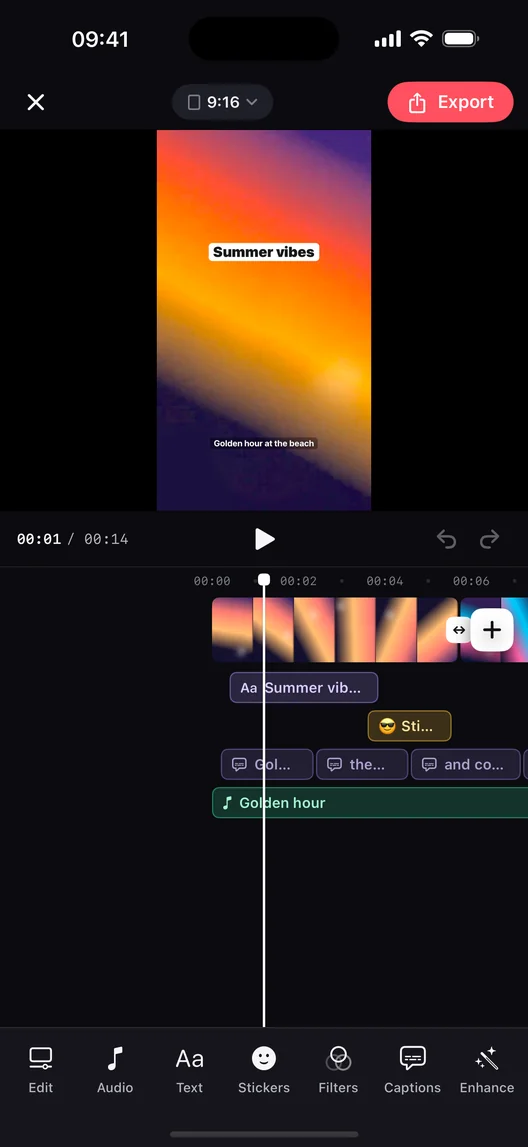
See how CutCut works ↗Arrange photos and videos on a multi-clip timeline. Trim, split, change speed or reverse a clip until the rhythm feels right.
Turn spoken audio into editable captions with Apple speech recognition. Choose your language, then adjust the words to match your story.
Layer text, stickers, filters and transitions. Add one of 25 credited music tracks, or use sound effects to set the pace.
 720p → 1080p → 4K
03 / READY FOR YOUR NEXT POST
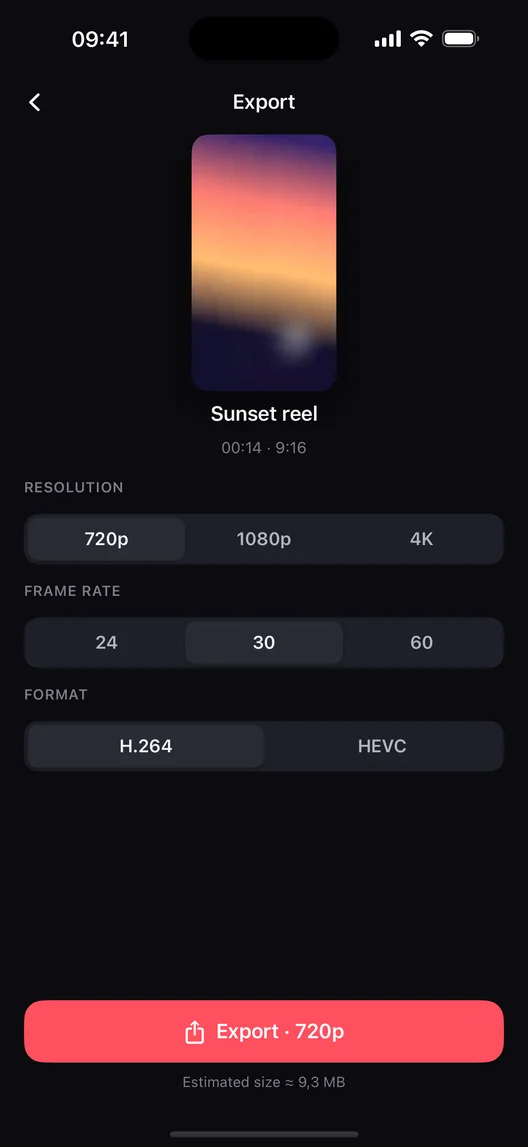
Create videos for Reels, Shorts or simply the people you care about. Choose your resolution, frame rate and format, then save or share the finished video.
Export results depend on source media and device capabilities. Caption availability varies by device and language; some recognition requires internet.
THE SHORT VERSION
Bring photos and clips from your camera roll, or start with a template.
Trim your clips. Add captions, music and the details that make it yours.
Export your finished video and share it through the app you choose.
CutCut is preparing for its first App Store release for iPhone and iPad. The official download link will be added here after launch.
In the current app, core editing and export do not require an account or subscription. Projects are saved locally on your device. Apple and Google sign-in are optional.
Yes. Create vertical videos, use a video template, add text and music, then export a video to share through your chosen app. CutCut also supports square and landscape projects.
Yes, for clips with spoken audio. Speech recognition depends on device and language support; some configurations need an internet connection. You can edit the resulting caption text.
The current app offers 720p, 1080p and 4K export options without a watermark or a paid editing gate. Export results depend on your source media, format and device capabilities.
Projects and imported editing media are stored locally. Some services, including authentication, analytics and speech recognition, may process information as described in the privacy policy.
THIS ONE HAS YOUR NAME ON IT
Coming soon on the App Store for iPhone & iPad.